
Cloud Phone Beginner Mistakes: Why Higher Specs Aren't Always Better
Why Beginners Assume Higher Specs Are Always Better
When people try a cloud phone for the first time, many instinctively think: since I am paying for a service, I should pick the highest configuration possible — more cores, more RAM, smoother experience. It sounds logical, but it is actually a classic beginner misconception. Cloud phone performance is never determined by a single spec. It is the combined result of configuration, network quality, and your actual use case. Let's break down the most common traps one by one.
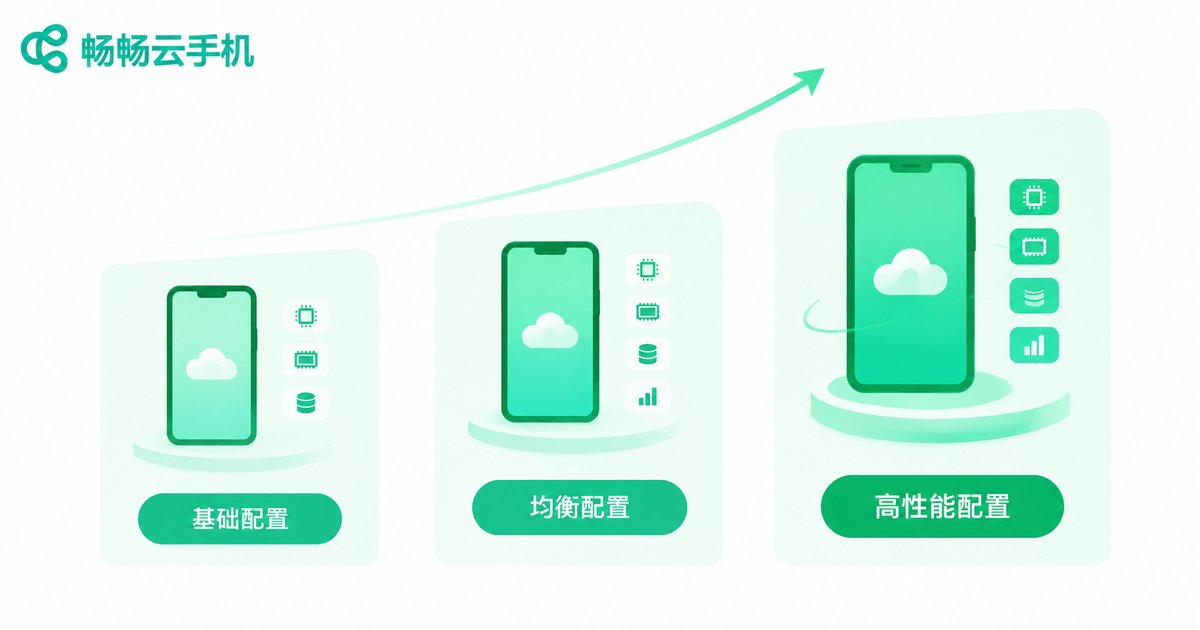
Mistake 1: Judging Only by Cores and RAM, Ignoring Your Actual Needs
Many beginners treat the spec sheet as the only standard, as if more cores and RAM automatically mean better value. The problem: high specs cost money, and your use case may never use them. If you only run lightweight apps or keep tasks running in the background, buying a top-tier plan means the extra performance sits idle — a pure waste of budget.
The right approach is needs first, specs second. Use this simple table to gauge your requirement level:
| Use Case | Requirement | Configuration Strategy |
|---|---|---|
| Background tasks, lightweight apps | Low performance demands | Basic tier is enough, save money |
| Mainstream mobile games, multi-account | Needs stable smoothness | Balanced tier, best value |
| Demanding games, heavy multi-instance | High performance pressure | High tier, upgrade as needed |
Mistake 2: Blaming Lag on Specs While Ignoring the Network
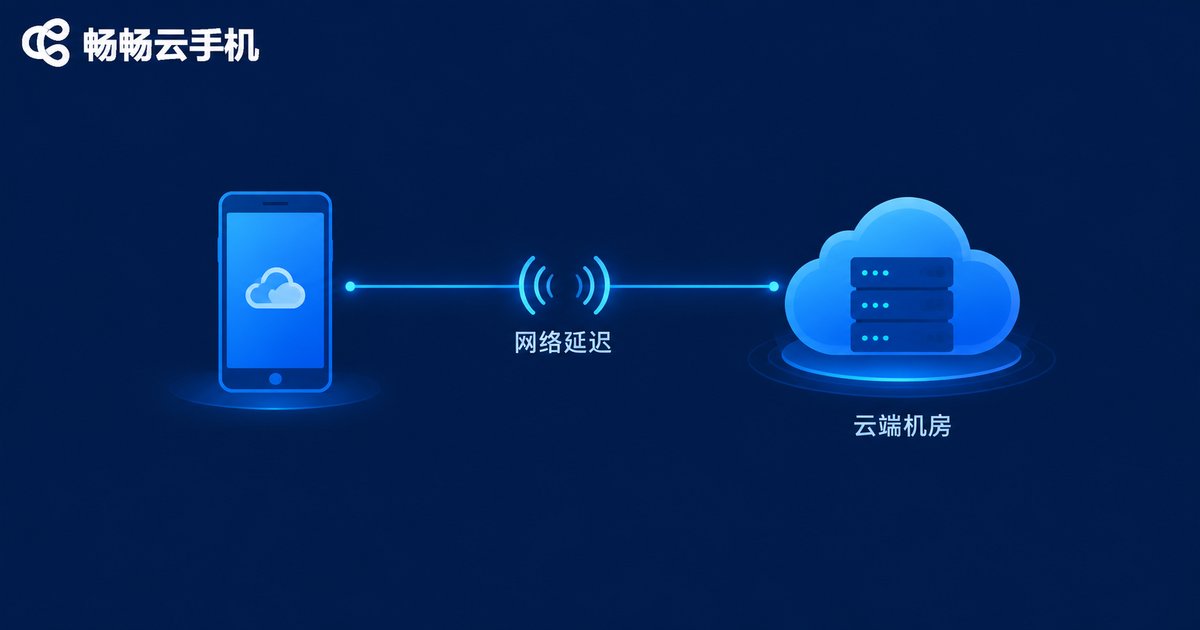
When a cloud phone lags, beginners often jump straight to the conclusion that the specs are too low and an upgrade is needed. The truth: network quality often matters more than raw specs. A cloud phone runs in a remote data center, and the screen is streamed to your device in real time. If your local connection is unstable or has high latency, even the best hardware cannot fix a choppy stream.
Before blaming the specs, try the basics: switch to more stable Wi-Fi, avoid peak network hours, and check your local device. Often these small fixes deliver a bigger improvement than a spec upgrade.
Mistake 3: Expecting One High-Spec Plan to Cover Everything
Another common thought: buy the highest configuration once, and it will handle any future need. Sounds convenient, but it hides two traps. First, needs change — today you play one mainstream game, tomorrow you may run multiple instances, and these scenarios stress resources in completely different ways. Second, multi-instance workloads depend on overall resource scheduling, not just single-device specs. Rather than betting on one all-powerful plan, choose based on your current real needs and adjust as you go.
Mistake 4: Assuming Cloud Phone Specs Equal Real Phone Specs
Beginners often compare directly: this cloud phone has 8 cores, my phone has 8 cores, so they should feel the same. That is a typical misunderstanding. A cloud phone runs on cloud servers, and its performance is also affected by data center scheduling, concurrent load, and network transmission. The same numbers do not guarantee the same experience. The most reliable way to judge a cloud phone is always a hands-on trial, not a paper comparison.
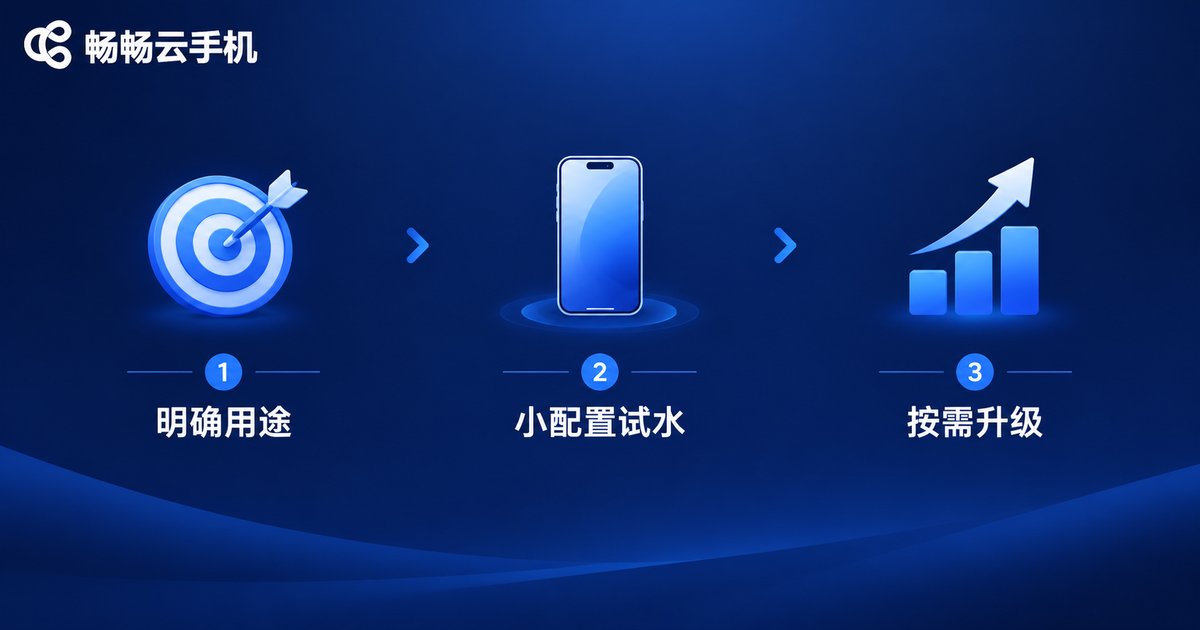
A Three-Step Approach for Beginners: Try, Compare, Then Upgrade
Step 1: Define your use case. Gaming, background tasks, multi-account management, or app testing? Your purpose determines the direction of your configuration.
Step 2: Start small. Do not buy top specs right away. Begin with a basic or balanced configuration and observe real-world smoothness and stability for a while.
Step 3: Upgrade as needed. If performance genuinely feels tight after testing, upgrade with purpose — so every dollar is well spent.
Final Thoughts: The Best Spec Is the One That Fits
A cloud phone is, at its core, on-demand computing power in the cloud. Its biggest advantage is flexibility — unlike buying a physical phone, you do not have to commit upfront and can adjust anytime as your needs change. With services like ChangChang Cloud Phone (ccloudphone), beginners can absolutely start small and find their ideal setup through real usage. Remember: there is no universally best configuration — the one that matches your scenario is the truly good one.
FAQ
Q: Do higher specs always mean sharper game graphics?
Not necessarily. Image quality depends on both cloud rendering and local network transmission. With a poor connection, even high specs cannot guarantee a crisp, smooth stream.
Q: If I start with a basic plan, can I upgrade later?
Generally yes. Flexibility is a core advantage of cloud phones. Start basic, confirm your needs, then upgrade to avoid waste.
Q: I upgraded to high specs but it still lags. Why?
The bottleneck is likely your network, not the specs. Check your local connection stability, try faster Wi-Fi or off-peak hours first, then decide whether more power is really needed.
Q: Do multi-instance workloads always require top specs?
Multi-instance depends more on overall resource scheduling and stability than on single-device numbers. Choose a plan based on how many tasks run simultaneously — no need to chase the top tier blindly.


