

Cloud Phone Batch SEO Ranking: Independent Fingerprints + Automation Scripts for Safe Weight Growth
1. Why SEO Professionals Are Turning to Cloud Phones for Batch Operations
Many site owners share the same frustration: the content is solid, backlinks keep going out, yet keyword rankings refuse to move. The reason is simple — modern search engines no longer rely on content and links alone. Genuine user click behavior has become a major ranking signal: do people search your keyword and click through to your page? How long do they stay? Do they keep browsing? These metrics directly reflect how popular a page really is.
Waiting for these behavioral signals to build up naturally is slow, especially for new sites. That is why many SEO practitioners proactively generate real search visits — and cloud phones, combining independent device fingerprints, isolated network environments, and batch management, have become the mainstream tool for this kind of operation. This guide walks through how to scale SEO rankings safely with cloud phones.
2. Know the Rules First: How Search Engines Detect Fake Traffic
To improve rankings safely, you must first understand the risk-control logic. Search engines judge whether a visit comes from a real person across three dimensions:
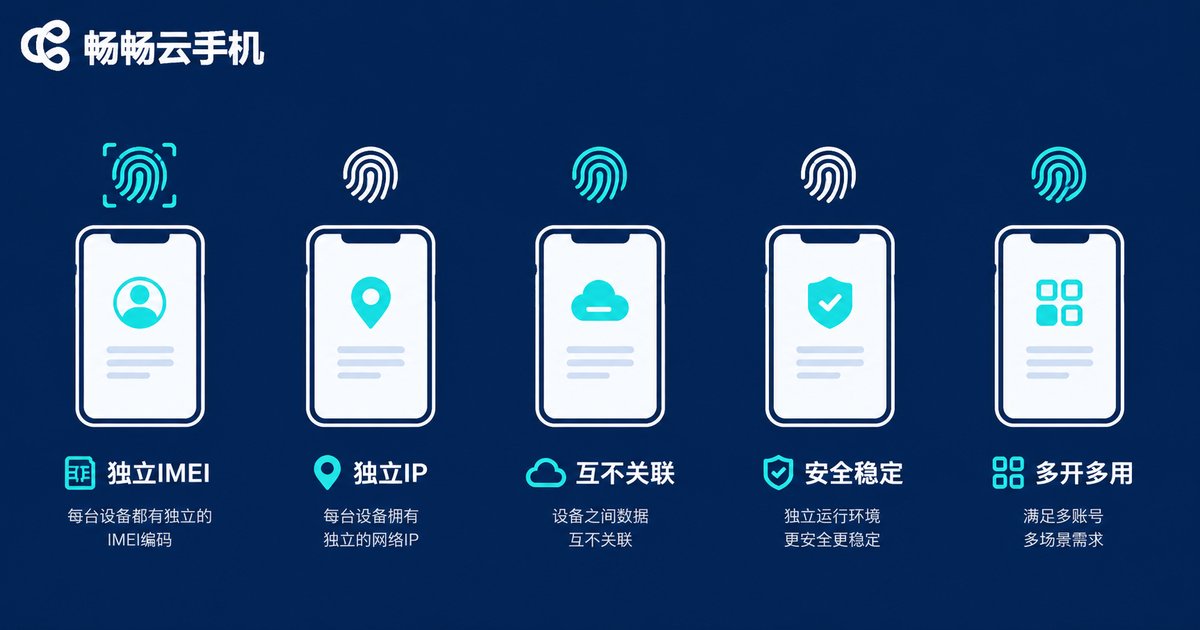
1. Device fingerprint: every phone carries a unique ID card — IMEI, Android ID, MAC address, screen resolution, sensor data, and more. When large volumes of traffic share identical or highly similar fingerprint parameters, it is flagged as bot traffic outright.
2. IP quality: datacenter IPs are under heavy scrutiny. What matters even more is the binding between IP and device — when one network exit serves device A today and device B tomorrow, the association risk is extremely high.
3. Behavior patterns: real users scan results, compare options, and pause at random; automated traffic clicks instantly, bounces instantly, and follows a perfectly straight path — obviously fake.
| Dimension | Emulators / Traditional Control | Cloud Phones |
|---|---|---|
| Device fingerprint | Identical parameters, easily detected | Independent per device |
| Network environment | Shared exit, easily linked | Isolated environments |
| Stability | Depends on local PC | Always-on in the cloud |
| Batch scale | Lags beyond a dozen devices | Manage dozens or hundreds easily |
3. Hands-On: Build a Batch Weight-Growth System in Four Steps
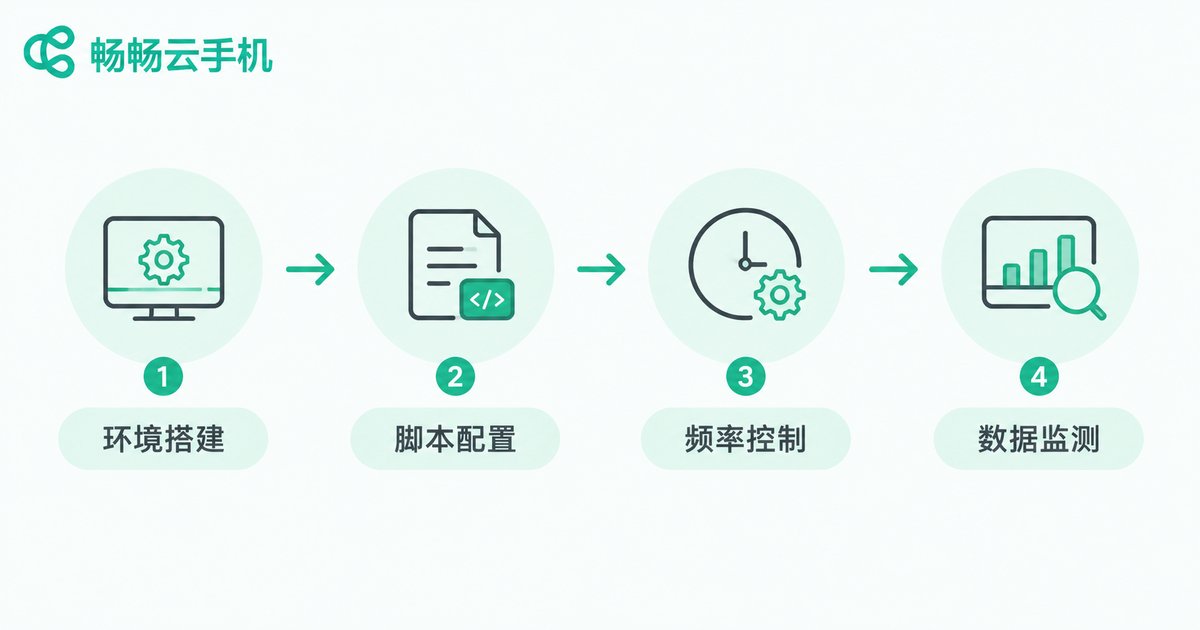
Step 1: Prepare content and keywords. One prerequisite first: behavioral data is only a booster — page quality is the foundation. Pick 3-5 long-tail keywords with moderate competition and make sure the landing page genuinely answers the search intent; otherwise clicks will bounce within seconds and drag your metrics down.
Step 2: Set up the cloud phone environment. Take ccloudphone as an example: after registering, create cloud phone devices in batches from the dashboard, and every device is automatically assigned independent fingerprint parameters. If you need multi-region data, assign different region nodes to different devices so that search behavior looks like it comes from genuinely distributed users.
Step 3: Configure automation scripts. Script the complete path — search the keyword, browse results, click the target page, dwell randomly, occasionally click deeper — and hand it to the cloud phones. The key is to add randomness to every action:
# Pseudo-code: simulate a real user search click flow
task = {
    keyword: 'target keyword',
    pages_browse: random(1, 3),   # browse 1-3 result pages first
    dwell_time: random(40, 180),  # stay 40-180 seconds
    scroll: random(2, 6),         # scroll 2-6 screens
    second_click_rate: 0.3        # 30% chance of a second click
}
Step 4: Control frequency and pacing. Warm up new devices for the first 3-5 days: browse news normally, install everyday apps, and let the device build a natural usage history. Then start each keyword at a small daily click volume and scale up gradually, mimicking a natural growth curve — never let the data spike overnight.
4. Safety Red Lines: Four Things You Must Never Do
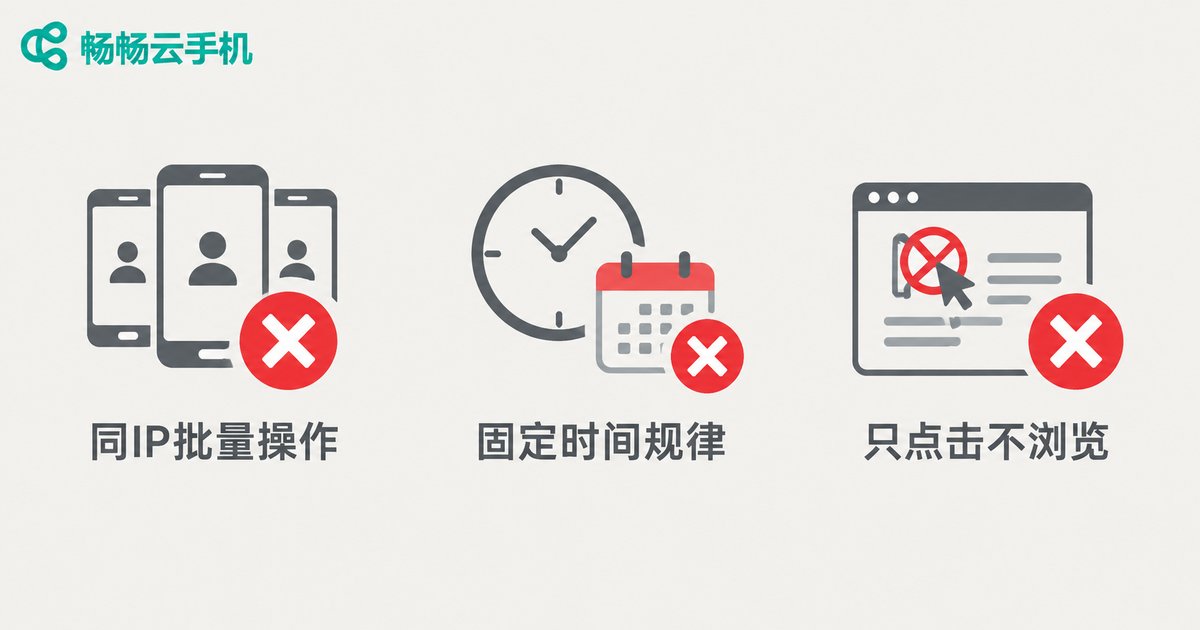
When batch operations fail, nine times out of ten it is because of one of these red lines:
Red line 1: Multiple devices sharing one network exit. The fastest way to get linked and flagged. Always keep one device, one environment.
Red line 2: Overly regular schedules. Starting at exactly 9 a.m. and stopping on the hour every day screams script. Spread the tasks across the whole day and add random delays.
Red line 3: Clicking without browsing. Opening a page for 3 seconds and leaving gives a 100% bounce rate — useless at best, harmful at worst. Scripts must include scrolling, dwelling, and returning to search results, just like a real person.
Red line 4: Unrestrained data. If a keyword gets only 50 searches a day and you push 200 daily clicks, who else would the engine investigate? Keep click volume within a plausible range of the real search volume.
5. Monitor the Results: Let Data Validate Every Step
Batch operation is not set-and-forget — record the data daily and watch the curves:
| Metric | Reference Tool | Normal Expectation |
|---|---|---|
| Keyword ranking | Webmaster platform / rank tracker | Fluctuating upward within 2-4 weeks |
| Click-through rate | Search console | Steady improvement |
| Dwell time | Web analytics | Above 1 minute on average |
| Indexed pages | Webmaster index report | Continuous growth |
If rankings drop instead of rising after two weeks, pause all automation and investigate — most likely one environment parameter gave you away.
6. Why Choose ccloudphone
There is no shortage of cloud phone products on the market, but batch SEO operations demand far more authenticity and stability than casual use. Focus on three things when choosing:
Independent device environments: every ccloudphone device is a standalone Android cloud phone with isolated device parameters, reducing association risk at the root;
Batch control capability: a single computer can manage a large number of cloud phone devices at once — automation tasks are dispatched centrally and executed independently, keeping batch efficiency high;
Always-on stability: running in the cloud means tasks never depend on your local PC being powered on; automation runs 24/7 without interruption, ideal for SEO projects that require long-term device nurturing.
For the latest plans and device specifications, check the official ccloudphone website and choose based on how many devices your project needs.

FAQ
Q: Is there a big difference between cloud phones and emulators for batch SEO?
A big one. Emulator fingerprints are highly uniform and the tricks are widely documented, making them a prime detection target. Cloud phones offer true-device-level isolated environments — a whole tier above in both safety and stability.
Q: How many cloud phones do I need to start?
Start small: 3-5 devices and 2-3 keywords. Validate the workflow and data safety first, then scale up gradually — do not jump straight to dozens of devices.
Q: When will I see ranking changes?
Usually 2-4 weeks. The early phase is about building natural data foundations; once the click-through rate rises, rankings typically follow.
Q: Does ccloudphone support automation scripts?
Yes. Automation tasks can be dispatched in batches through its group-control features. For integration details, consult the official ccloudphone support team or website documentation.
Q: Are there risks?
Any batch operation intended to influence rankings carries risk. The safety emphasized here means minimizing it through real device environments, human-like behavior, and restrained pacing — and remember, content quality always comes first; behavioral data is only the cherry on top.


