

Cloud Phone Batch Operation Efficiency: Process Design, Group Management and Exception Handling
Why Batch Operations Define the Ceiling of Cloud Phone Operations
When you run ten, fifty, or even hundreds of cloud phones at once, one-by-one manual operation quickly wears you down: the same launch, login, warming-up and publishing actions repeated dozens of times not only cost hours but also invite mistakes. The essence of batch operations is turning manual repetition into reusable processes — design one standard routine, let all devices execute it by the rules, and let people handle only the exceptions.
This article breaks down cloud phone batch operation efficiency across three dimensions: process design, group management and exception handling.
Process Design: Standardize First, Speed Up Later
The biggest mistake in batch operations is acting before designing. The right order is exactly the opposite: decompose the operation on a single device into standard steps, then solidify them into a batch process. A reusable batch process contains four elements:
1. Define the target action: for example, install an app and log in, publish a post, or clear cache and restart the app. The more specific the goal, the more stable the process.
2. Fix the execution order: launch the app, wait for loading, perform the action, exit and save. The sequence of every step must stay fixed so all devices keep the same rhythm.
3. Set time intervals: leave a reasonable gap between steps — wait 8 to 10 seconds after launch before the next action — so the app is fully loaded before anything triggers.
4. Define completion criteria: agree in advance on what counts as done — which screen the page should rest on and which prompt signals success — so you have a baseline when troubleshooting exceptions later.
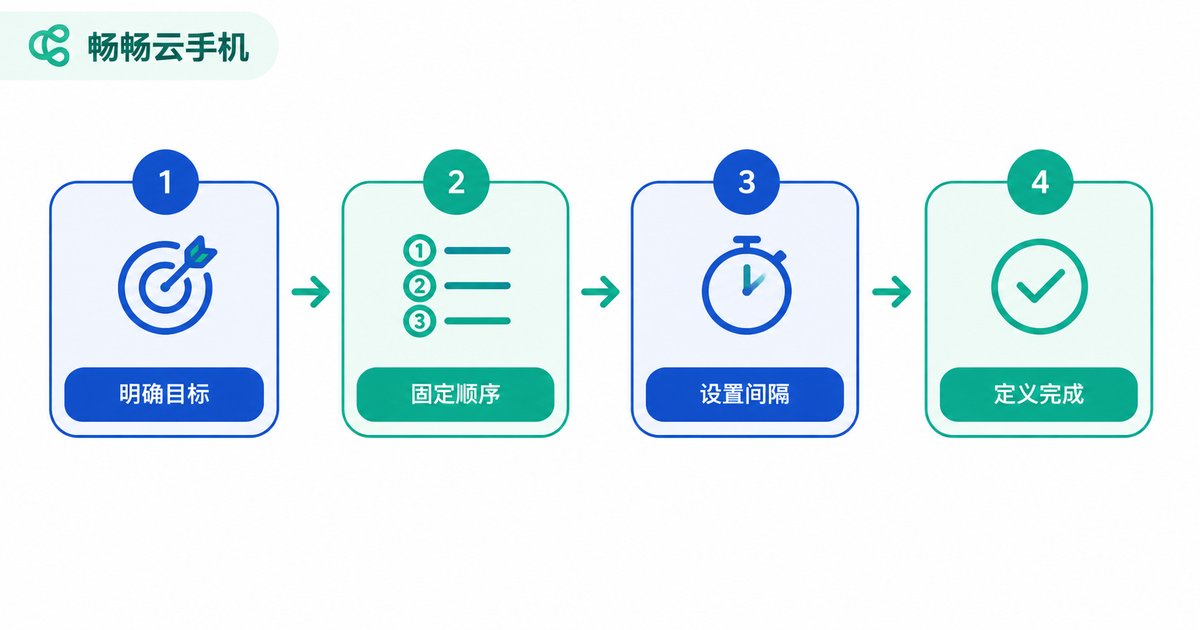
Validate the process on one device first, then scale it to the whole batch. The success rate will far exceed a trial-and-error approach.
Group Management: Run Hundreds of Phones Like a Handful
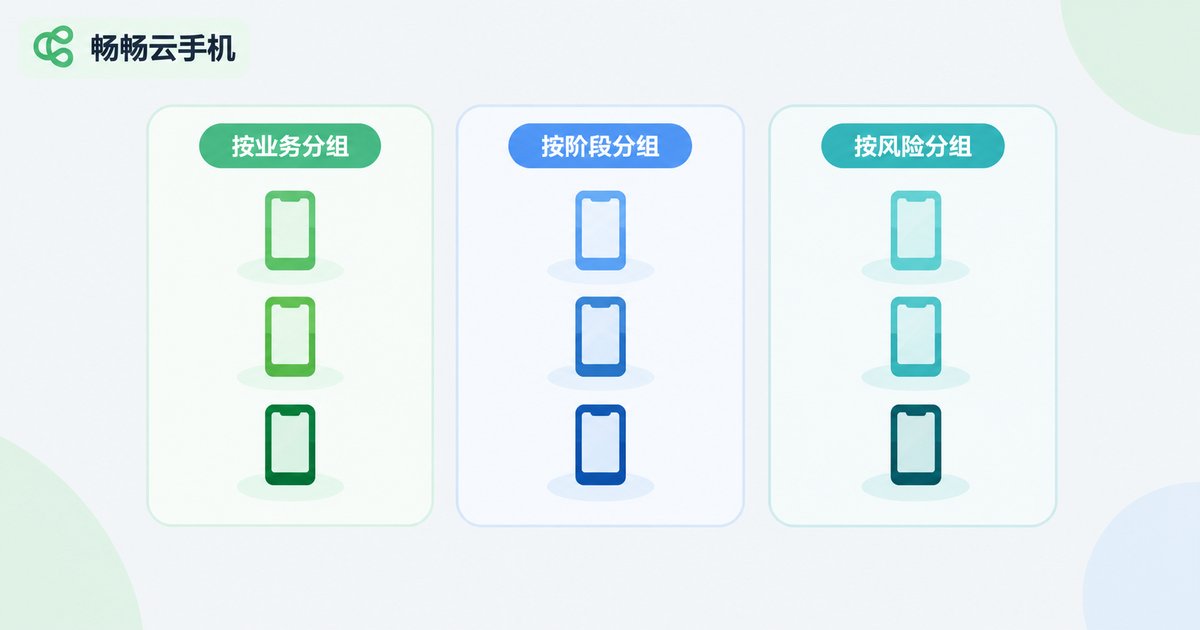
Once the device count grows, operating everything as one giant batch backfires — devices in different businesses or stages need different actions. That is where group management comes in. Three common grouping dimensions:
By business: short-video operations in one group, social account warming in another, game idle farming in a third. Each group runs only its own tasks without interference.
By stage: new devices in a break-in group, stable devices in a production group, devices awaiting maintenance in a third. Different stages get different operation intensity.
By risk level: keep core accounts in a dedicated group with lower batch frequency; let peripheral accounts run at full volume, so even if something goes wrong it never hurts the whole operation.
| Dimension | Without groups | With groups |
|---|---|---|
| Actions | One identical routine for all devices | Differentiated actions per group |
| Blast radius | A fault hits the entire batch | Only one group affected, quickly isolated |
| Troubleshooting | Checking records device by device | Locate the problem group first, then narrow down |
| Account risk | Core accounts forced into high-frequency actions | Core accounts maintained separately at low frequency |
Exception Handling: The Safety Net of Batch Operations
Batch operations will never succeed 100% of the time. The efficiency gap shows not in how fast things run when smooth, but in how fast you recover when they break. A simple exception-handling mechanism keeps small glitches from turning into batch-wide accidents. The most common exceptions in cloud phone batch operations:
| Exception | Typical symptom | Recommended action |
|---|---|---|
| Loading timeout | App stuck on the splash screen after launch | Extend step intervals and retry once |
| Session expired | Prompt to log in again or verify | Remove from the batch queue and handle verification separately |
| Popup interference | Update or promo popups blocking the action path | Add a close-popup step into the process |
| Frozen task | Device unresponsive for a long time | Restart the app or the device, then retry |
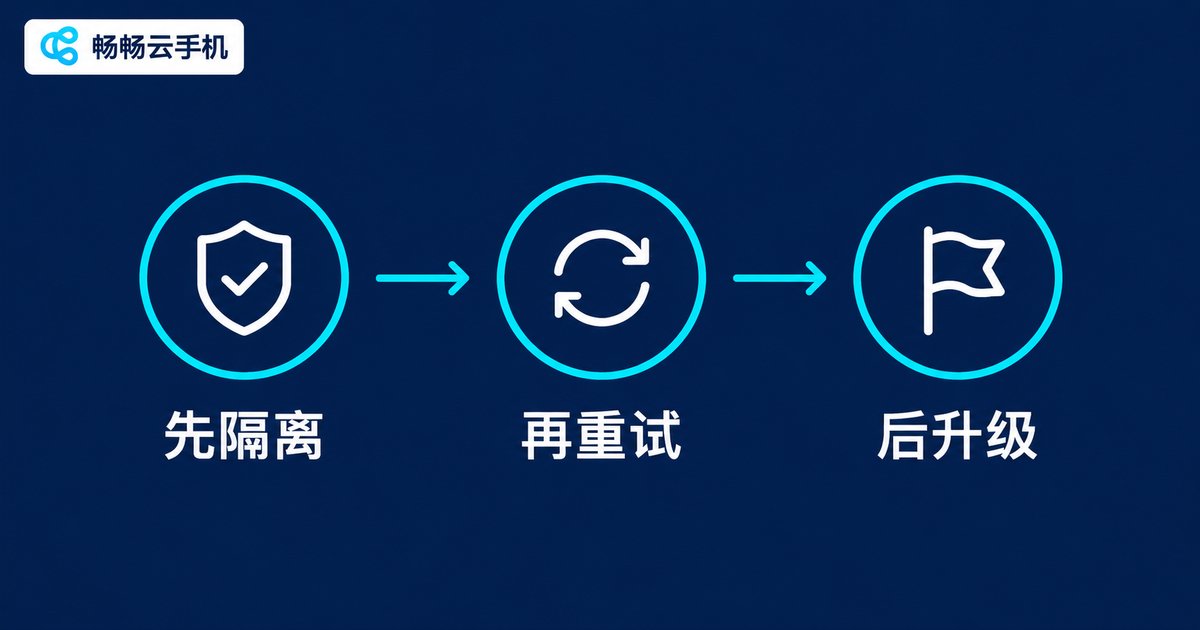
Remember the three-step rule: isolate first, retry second, escalate last. Pull failing devices out of the batch queue so they do not slow everyone down; retry once on its own — many transient faults recover immediately; if it still fails, mark it for manual review and investigate in batches. This way normal devices keep running and no failed device gets forgotten.
Putting the Whole System into Practice with ChangChang Cloud Phone
Processes, groups and exception rules need a stable carrier. ChangChang Cloud Phone (ccloudphone) provides cloud-based real Android devices that stay online 24/7 — tasks keep running in the cloud even when your local computer is shut down, a natural fit for batch operations. In practice you can implement the system like this:
• Use multi-device management to organize devices into business groups and execute unified actions such as launching and installing apps in batch;
• Take advantage of always-on cloud devices to run time-consuming tasks in the cloud, and use your local machine only for result checks and exception handling;
• When an individual device fails, handle it separately without interrupting the tasks of other devices in the same group.

The core of batch operations is never about controlling more devices — it is about getting stable output from every device with less effort. Standardized processes, fine-grained groups and a solid exception workflow: once these three are in place, the efficiency ceiling of your cloud phone fleet opens up naturally.
FAQ
Q: Will batch operations on cloud phones be flagged as risky by platforms?
A: Batch is not risk in itself — pacing is. Set differentiated execution times and intervals for different groups and avoid every device performing identical actions within the same second to significantly reduce risk.
Q: At what device count should I start grouping?
A: Around ten devices is a good threshold. Select-all still works for a handful, but beyond dozens the error rate and troubleshooting cost of ungrouped batch operations rise quickly.
Q: How do I quickly locate the cause of batch task failures?
A: Check whether failures cluster in the same group or the same step. Same-group failures usually point to a group configuration issue; same-step failures usually point to a process design issue such as insufficient wait time; isolated device failures can simply be retried.
Q: How many devices can ChangChang Cloud Phone manage at the same time?
A: The number of devices depends on the plan you choose. Visit the official website of ChangChang Cloud Phone (ccloudphone) for the latest plan details and pick one that matches your business scale.


