
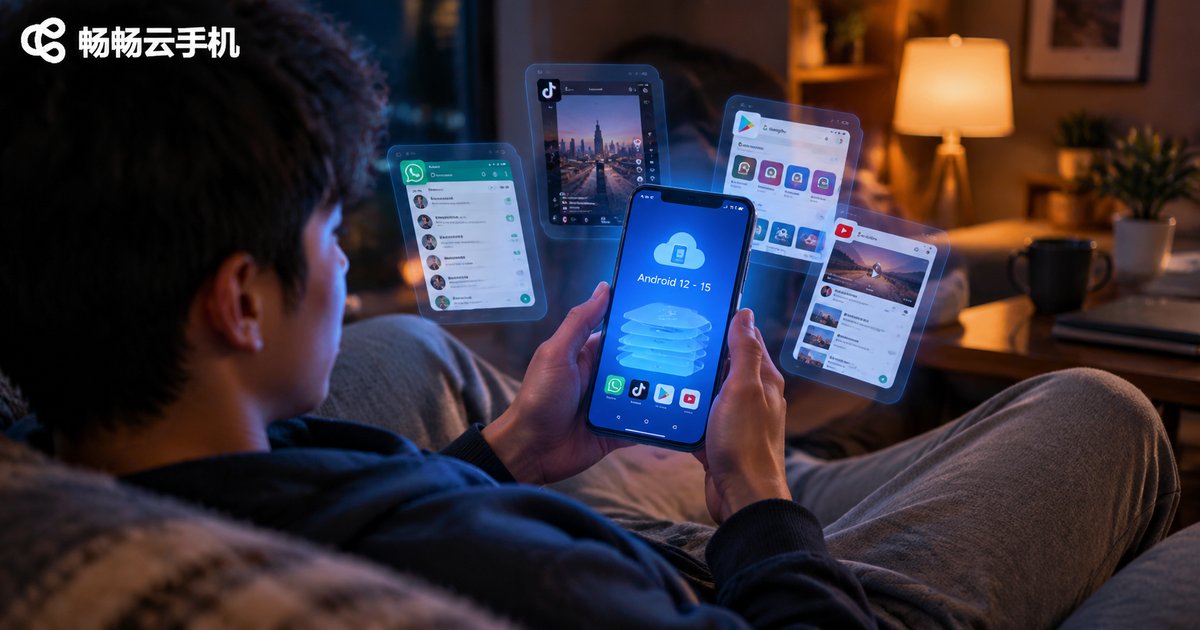
How to Choose a Cloud Phone Android Version: Android 12/13/14/15 Compatibility Comparison and Tips
Why the Android Version of Your Cloud Phone Matters
When choosing a cloud phone for the first time, many people only look at price and hardware specs while overlooking a key factor: the Android system version. A cloud phone is essentially an Android device running on a remote server, and every app you install actually runs on that cloud-side Android system.
Choosing the wrong version leads to the most common frustrations: apps that won't install, games that crash, or 'system version too low' warnings. Some newer mobile games require a recent Android version, while many older games run into compatibility issues on the newest systems. Checking the Android version before you buy saves you a lot of trouble.
Android 12/13/14/15: Key Differences at a Glance
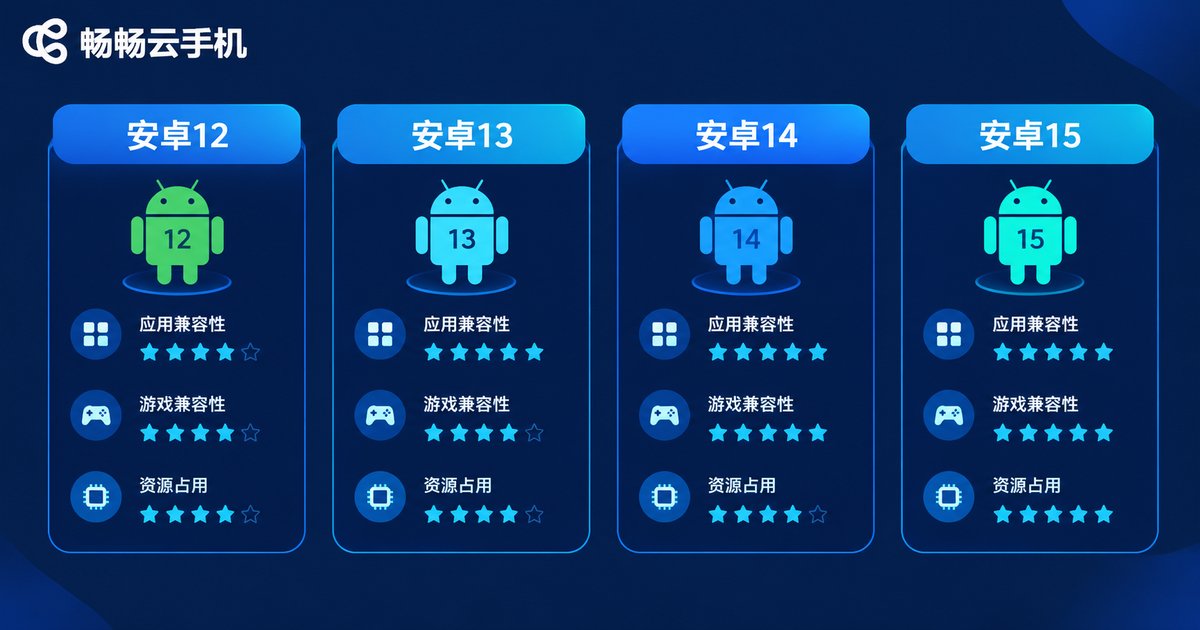
Here is a quick comparison of all four versions:
| Version | Released | App Compatibility | Game Compatibility | Resource Usage | Best For |
|---|---|---|---|---|---|
| Android 12 | 2021 | Excellent for legacy apps | All mainstream games | Low | Legacy games, farming |
| Android 13 | 2022 | Very good | All mainstream games | Low-medium | Everyday multi-app use |
| Android 14 | 2023 | Great for new apps | Top pick for new titles | Medium | Demanding 3D games |
| Android 15 | 2024 | First to get newest apps | Some legacy games pending | Higher | Early adopters |
In one sentence: newer versions favor newer apps, while older versions are more forgiving with legacy apps. There is no absolute best, only what fits your use case.
Version by Version: What Each One Is Good At
Android 12: The Master Key for Legacy Apps
Released in 2021, Android 12 is one of the most mature versions. Its biggest strength is excellent compatibility with older apps: many legacy games and tools that crash or refuse to install on newer systems run stably on Android 12. It also uses fewer resources, making long farming sessions cheaper to run, which makes it a classic choice for 24/7 game farming and multi-account operation. The downside: some brand-new games may suggest upgrading your system.
Android 13: The Well-Rounded All-Rounder
Android 13 refines version 12 with better performance scheduling and privacy controls, while keeping compatibility equally strong and resource usage low. It runs mainstream online games smoothly and supports most legacy apps. If you are unsure which version to pick, Android 13 is a safe bet.
Android 14: The Workhorse for Demanding Games
Android 14 further optimizes memory management and graphics performance. Large 3D mobile games released in the past two years generally run best on Android 14. If gaming is your priority and you care about graphics and frame rates, choose it first. Note that a few very old apps may show a 'built for an older version of Android' notice, though most still work fine.
Android 15: The Cutting-Edge Choice
Android 15 is the newest system version. Newly released apps and games are adapted to it first, and it will be the main target for apps over the next year or two. However, it uses more resources, and some older games and apps may not be fully adapted yet. It suits users who want the latest experience and do not mind being early adopters.
Which Version for Which Scenario? Copy This Cheat Sheet
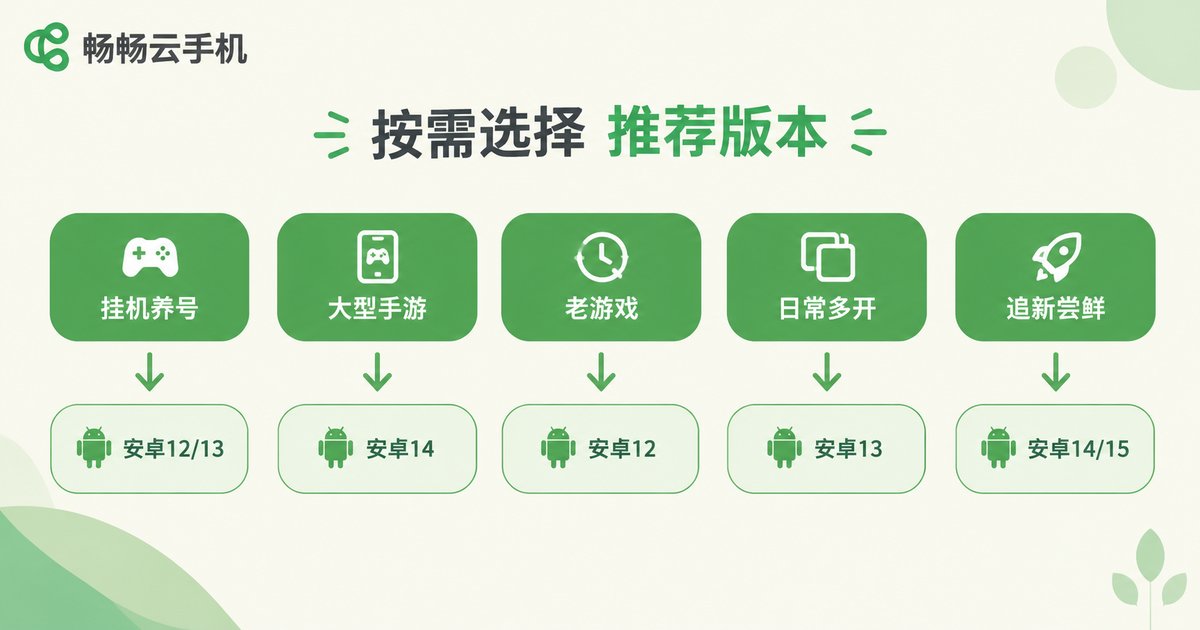
Based on the analysis above, here are our scenario-based recommendations:
- Game farming and multi-account: Android 12 or 13. Low resource usage, stable for long sessions, compatible with most farming apps.
- Demanding 3D games: Android 14. Best adaptation and performance for new titles.
- Older games from years ago: Android 12. The strongest legacy compatibility, fewest crashes.
- Everyday multi-app use: Android 13. A balanced mix of compatibility and performance.
- Trying the newest games and apps: Android 14 or 15. Newest versions get adapted first.
Beyond the Android Version: What Else to Check
The Android version is only one part of the decision. Also consider:
1. Match the hardware to your needs. The same Android 14 runs poorly on a low-spec device. Check CPU cores, RAM, and storage against your intended use.
2. Choose a platform with flexible device options. Pick a provider like ccloudphone that offers multiple device types with different configurations and system versions, so farming, gaming, and multi-instance workloads each get what they need. Confirm the Android version of a device before ordering.
3. Stability and uptime. For farming scenarios, disconnections are the worst enemy. A reliably running platform matters more than saving a small amount of cost.
4. Multi-instance and batch-control features. If you need to run many cloud phones at once, verify the platform's multi-instance limits and management tools in advance.
FAQ
Q: Can I change the Android version after purchasing a cloud phone?
Usually the system version is fixed when you choose a device; some platforms allow switching or resetting. Confirm the version before ordering. ccloudphone offers multiple device types to choose from.
Q: Is a higher Android version always smoother?
No. Newer versions offer more features but consume more resources. On lower-spec plans, Android 12 or 13 may actually run smoother than 15.
Q: An old game crashes on Android 14/15. What should I do?
Switch to a device running Android 12 or 13. Legacy apps are most compatible there.
Q: Which version is most stable for 24/7 farming?
Android 12 or 13: low overhead and broad compatibility, ideal for running around the clock.
Q: How do I check an app's minimum Android requirement?
Look at the 'System requirements' section on the app's store page and compare it with your cloud phone's version before downloading.


