

How Do Cloud Phones Achieve Real-Device Operations? A Guide to Avoiding Pitfalls in Simulated Clicks and Sliding Trajectories
Why Does Your Cloud Phone Operation Feel Like a "Robot"?
When using cloud phones for automated tasks or daily operations, many users find that the device responds sluggishly, acts stiffly, or is even flagged as an anomaly by the system. This is usually because the underlying logic lacks real-device-level simulation. True real-device operation is not just about triggering a click event; it's about perfectly replicating the physical feedback of a human finger on the screen.
Simulated Click Pitfall Guide: Say Goodbye to Mechanical Coordinates
Many developers are used to writing scripts with fixed X and Y coordinates for clicks. This "rigid" clicking method is the primary trigger for risk control systems. Human fingers have slight offsets and variations in press duration with every tap.

Pitfall Avoidance Tips:
1. Introduce Random Offset: Set a few pixels of random offset around the target coordinates to simulate the physical area of a finger touch.
2. Simulate Press Duration: Avoid instantaneous down-up events. Add a random delay of 50-150 milliseconds to mimic a real press process.
Sliding Trajectory Pitfall Guide: Abandon Straight Lines
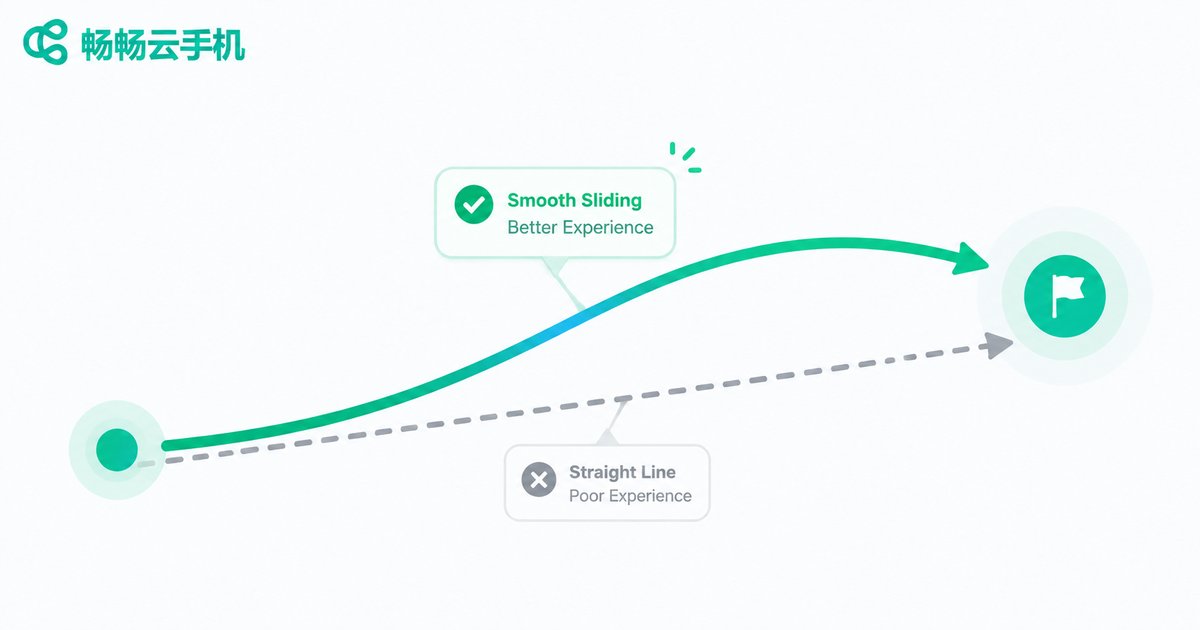
Sliding is the part of cloud phone operations most likely to expose "robotic attributes". Uniform straight-line sliding almost never exists in real human operation. Human swipes usually start slow, speed up in the middle, and decelerate at the end, with the trajectory having a slight curve.
Pitfall Avoidance Tips:
1. Use Bezier Curves: Generate sliding trajectories using Bezier curves so the path presents a natural arc.
2. Add Speed Variation: Simulate physical inertia. The acceleration is high at the beginning of the swipe and decelerates near the endpoint.
| Dimension | Mechanical Operation | Real-Device Operation |
|---|---|---|
| Click Coordinates | Fixed | Slight random offset |
| Press Duration | 0ms (Instant) | 50-150ms random |
| Sliding Trajectory | Straight line | Bezier curve arc |
| Sliding Speed | Constant | Accelerate then decelerate |
ccloudphone: Underlying Hardware-Level Real Device Simulation
Even if you master scripting techniques, the underlying architecture of the cloud phone itself determines the ceiling of operations. ccloudphone utilizes real Android motherboards and underlying hardware virtualization technology, providing a perfect hardware foundation for real-device-level operations.

ccloudphone not only provides extremely low network latency, ensuring instant delivery of click and slide commands, but its underlying sensor feedback is also completely identical to a real phone. This means your simulation scripts running on ccloudphone will receive the most authentic physical feedback, greatly reducing the probability of being identified by risk control systems.
FAQ
Q: Will cloud phone operation lag affect the simulated trajectory?
Yes. Network latency and screen lag will cause commands to transmit out of sync, destroying the continuity of the sliding trajectory. It is recommended to use ccloudphone, whose optimized network link ensures low-latency command transmission.
Q: What automation tools does ccloudphone support?
ccloudphone is compatible with mainstream automated testing frameworks and scripting tools. The underlying APIs are fully open, allowing developers to perform high-precision click and slide simulations.
Q: How can I check if my sliding trajectory looks human?
You can record the sliding process with a screen recording tool and analyze the coordinate changes of the touch points frame by frame. If the coordinates are linearly and uniformly distributed, you need to modify the script to add curves and speed variations.


