

How to Batch Publish Short Videos with Cloud Phones: One-Click Image Cloning to Deploy Hundreds of Standardized Devices
Why Short Video Matrix Operations Demand Batch Publishing
As competition for short video traffic intensifies, the ceiling for single-account operation keeps dropping. Brands, MCN agencies, and individual creators are all shifting toward matrix operations: using dozens or even hundreds of accounts to cover different platforms, niches, and audiences—winning by volume and letting data surface the hits.
But the real bottleneck of matrix operations is rarely content—it's devices and management. A team running 50 accounts on physical phones must purchase and maintain 50 handsets, logging in and publishing one by one every day. Labor costs quickly eat the profits. The combination of cloud phones and image cloning exists precisely to remove this bottleneck.
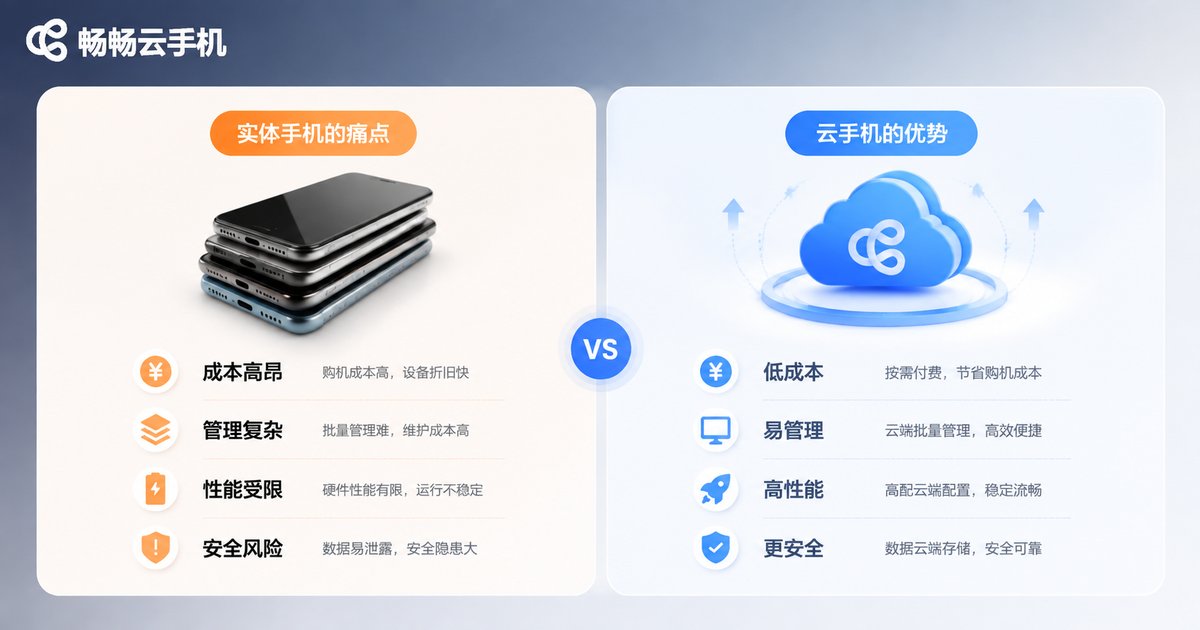
Three Pain Points of the Physical Device Approach
Before discussing the solution, consider the true cost of running a matrix on real phones:
| Pain Point | What It Looks Like | Direct Impact |
|---|---|---|
| High device cost | 50 accounts require 50 phones, plus ongoing purchase, depreciation, and repairs | Tens of thousands in upfront investment |
| Low management efficiency | Operating, charging, and troubleshooting devices one by one | One person can manage about 10 devices |
| Inconsistent environments | Every device has a different OS version and parameter set | Uneven account weight, high throttling risk |
Worse, physical devices make scaling nearly impossible—growing from 10 accounts to 100 means buying 90 more phones, hiring more staff, and finding more space. The larger the scale, the higher the management cost.
Cloud Phones: The Infrastructure for Matrix Operations
A cloud phone runs a real Android system on remote servers—your computer is just the 'remote control.' For matrix operations, this brings three key changes:
1. Manage many devices on one screen: Open dozens of cloud phone windows in your browser and switch between accounts like browser tabs—no more piles of physical devices.
2. Online 24/7: Cloud phones keep running in the cloud, so scheduled publishing, account warming, and auto-replies are unaffected by local power or network outages.
3. Standardized environments: All devices can be created from the same template, with identical OS versions, resolutions, and app configurations—eliminating throttling caused by environment inconsistencies at the source.
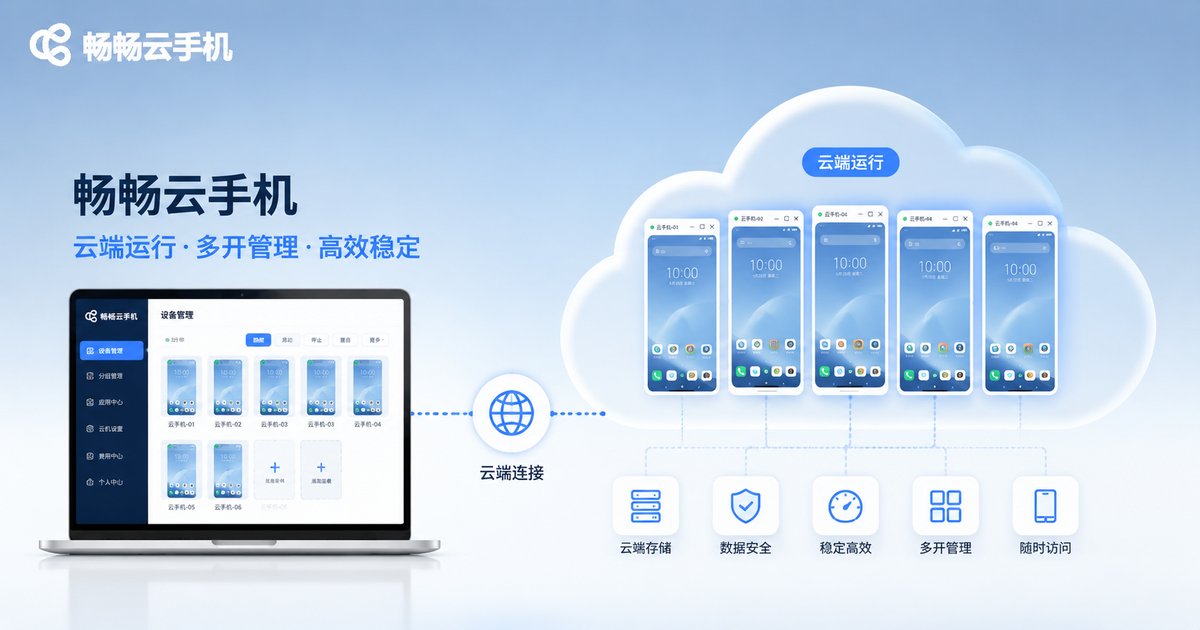
Image Cloning: The Core Capability for Deploying Hundreds of Devices in One Click
If cloud phones answer 'where do the devices live,' image cloning answers 'how do you scale them fast.'
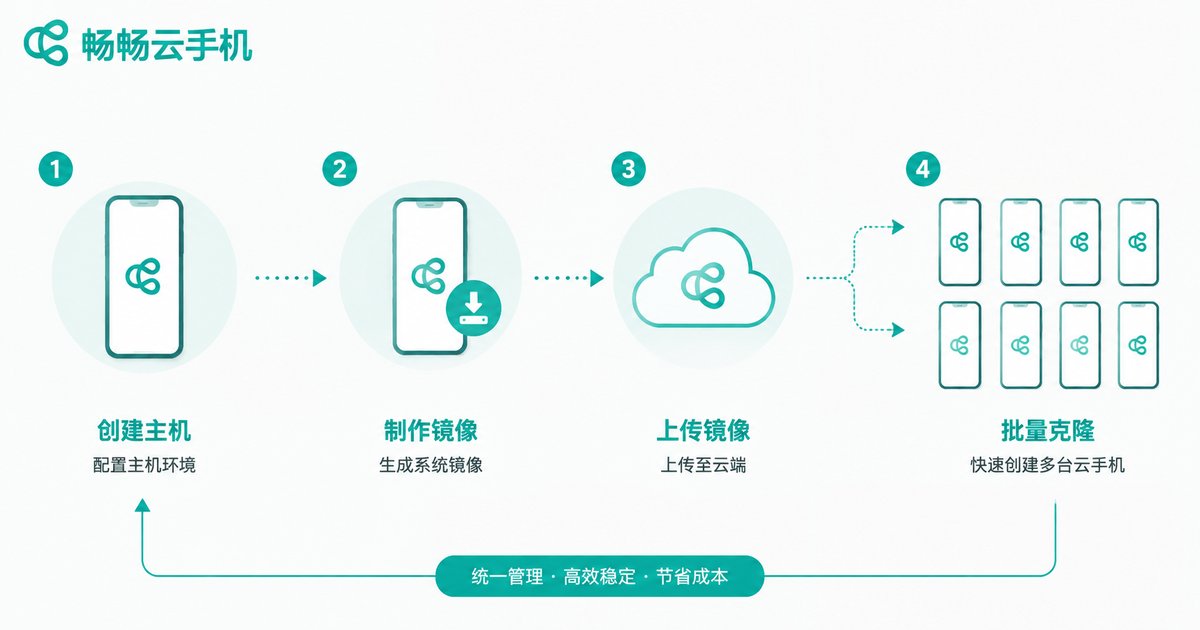
Image cloning means packaging a fully configured cloud phone—apps installed, parameters tuned, accounts logged in—into an image template, then copying it like a photocopier to spawn any number of identical devices. The standardized deployment process has four steps:
Step 1: Build the master device
Select one cloud phone, complete system settings, install your short video apps, and adjust device parameters (model, resolution, time zone) until this 'master' is in optimal condition.
Step 2: Generate the image
Package the master device's complete environment into an image template. All future devices derive from this template.
Step 3: Batch clone
Enter the quantity you need and create them in one click. Hundreds of devices can be deployed within minutes, each with an identical initial environment.
Step 4: Differentiate
After batch creation, apply small differentiations to each device (such as binding independent IPs and logging into different accounts) to avoid being identified as a single batch of devices.
The Standardized SOP for Batch Publishing
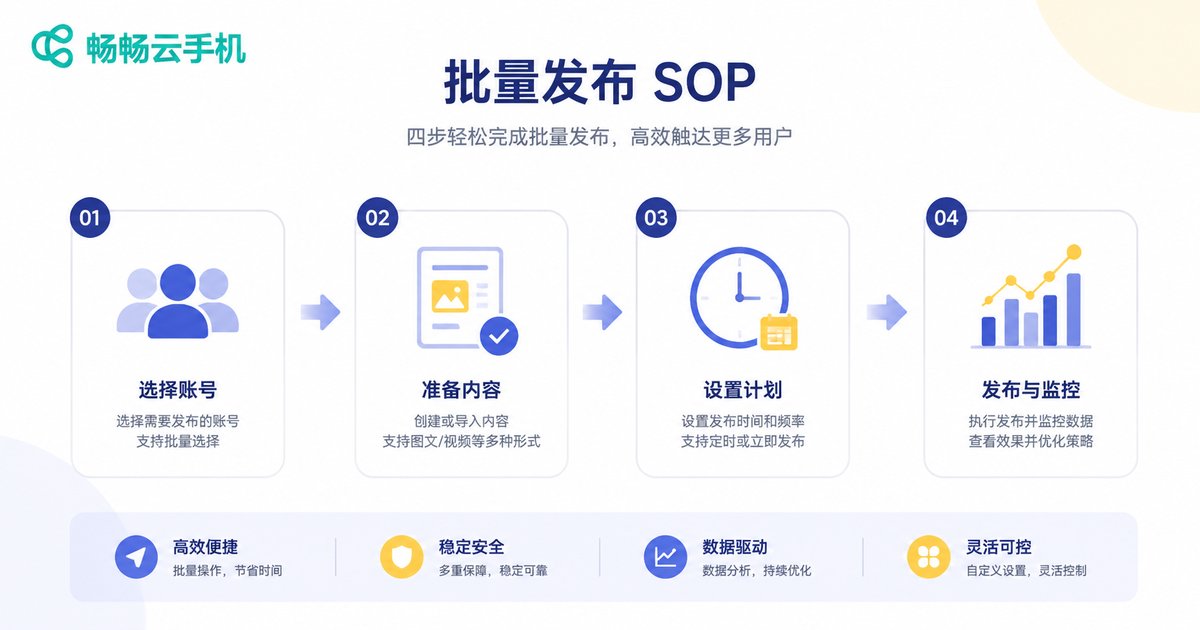
Once devices are deployed, batch publishing breaks down into four stages:
1. Account preparation: Log one account into each cloud phone and stick to one device, one account. Keep login environments stable and avoid frequent account switching.
2. Content distribution: Group finished video assets by account positioning and publish through the cloud phones. Use group control features to sync one action across many devices, or publish device by device with staggered timing.
3. Publishing rhythm: Never let all accounts publish identical content in the same minute. Group accounts and stagger each group by 15-30 minutes, targeting your audience's active hours.
4. Data review: Check views, completion rates, and follower growth at a fixed time daily. Cut underperforming accounts and concentrate resources on the ones gaining traction.
Five Key Details for Preventing Account Association and Throttling
The biggest risk in matrix operations is account association—platforms use device fingerprints, IP addresses, and behavior patterns to determine that multiple accounts belong to one entity. Once flagged, entire batches can be throttled or banned. Pay close attention to these details:
1. Independent IPs: Bind each cloud phone to its own network exit. Never let a hundred accounts share one IP.
2. Device parameter differentiation: Image cloning ensures a consistent base environment, but fine-tune some parameters after batch creation so each device retains subtle differences.
3. Re-edit your content: When distributing the same asset across accounts, adjust intros, swap background music, and rewrite captions to reduce duplicate-content detection.
4. Human-like behavior: Warm up new accounts for 3-7 days—watch videos, like, and comment like a real user before publishing.
5. Frequency control: One to three posts per account per day is ideal. Avoid high-frequency publishing in short bursts.
Why We Recommend CCLOUDPHONE
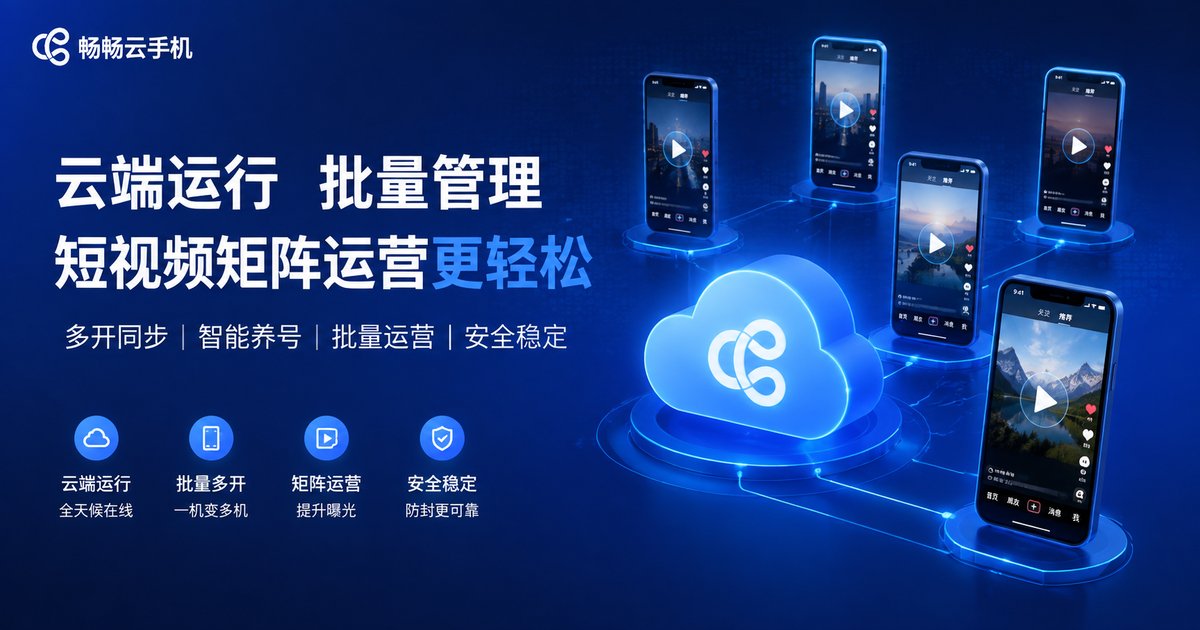
When choosing a cloud phone for matrix operations, teams care most about stability, batch management capabilities, and image cloning. CCLOUDPHONE provides cloud-based Android devices with multi-device management and batch operations, well suited for short video matrix and multi-account scenarios. Its image cloning capability lets operators replicate a configured environment across many devices, dramatically shortening deployment time. For the latest packages and feature details, visit the official website.
FAQ
Q: Can short video platforms detect cloud phones?
A cloud phone is a real Android environment running on cloud servers. Combined with independent IPs and sensible device parameters, it differs very little from a physical phone. What matters is whether your operating practices are compliant, not the device itself.
Q: Can one cloud phone host multiple accounts?
Technically yes, but matrix operations strongly favor one device, one account. Frequent account switching is a common signal platforms use to flag abnormal behavior—it's not worth the risk.
Q: If image cloning makes all devices identical, won't they be easier to associate?
Image cloning solves deployment efficiency. After batch creation, combine it with independent IPs and parameter fine-tuning for differentiation—that's the standard practice.
Q: How many people are needed to manage a hundred devices?
With centralized management dashboards and group control features, 1-2 operators can typically manage 50-100 devices. This is the biggest efficiency advantage of cloud phones over physical devices.
Q: Is matrix operation suitable for beginners?
Start by testing with 3-5 accounts. Once you've validated the full loop of content creation, publishing, and data feedback, scale up quickly through image cloning.


