
How to Install Third-Party Apps on Cloud Phones? Practical Methods to Bypass App Store Restrictions
Why Install Third-Party Apps on Cloud Phones?
Cloud phones, as virtual devices running on cloud servers, provide great convenience. However, sometimes we need to install third-party apps that are not available in the app store, or specific versions of applications. In such cases, knowing how to bypass app store restrictions and directly install external APK files becomes crucial.
Method 1: Direct APK Download
This is the most straightforward method. If your cloud phone has a built-in browser or you have already installed one, you can directly visit websites that offer APK downloads.
Steps:
- Open the browser on your cloud phone.
- Visit a reliable APK download website (e.g., APKMirror).
- Search for the desired app and download the APK file.
- Once downloaded, click the download notification or find the APK file via the file manager and click to install.
Note: Before installation, ensure that the "Allow installation of apps from unknown sources" permission is enabled in the cloud phone's settings.
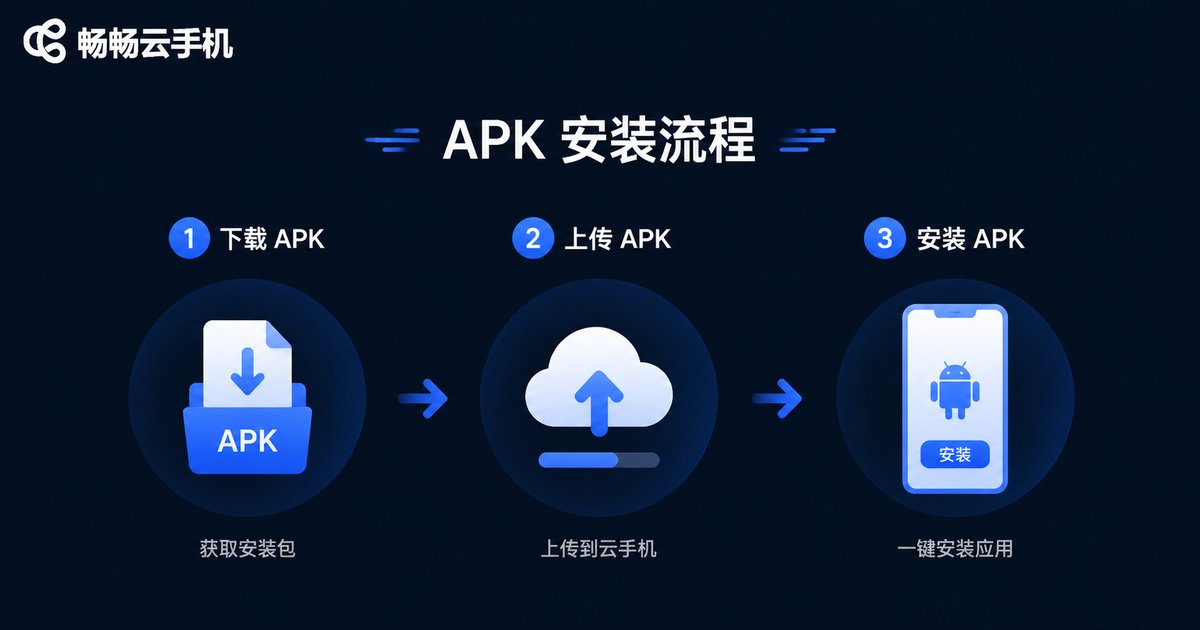
Method 2: Upload APK via File Transfer Tools
If you already have the APK file locally or the download website is inaccessible, you can upload the APK to the cloud phone using file transfer tools.
Steps:
- Prepare the APK file on your local computer or phone.
- Use the file transfer feature provided by the cloud phone (such as the built-in file upload function of ccloudphone).
- Upload the local APK file to a specific directory on the cloud phone.
- Find the APK file in the cloud phone's file manager and click to install.
Why Recommend ccloudphone?
When installing third-party software, the compatibility and stability of the cloud phone are crucial. ccloudphone offers excellent app compatibility, capable of smoothly running various mainstream APK applications. Its built-in file management tool also makes uploading and installing APKs exceptionally easy, even for beginners.
| Feature | ccloudphone | Ordinary Cloud Phone |
|---|---|---|
| APK Compatibility | High, supports almost all apps | Average, some apps crash |
| File Transfer | Built-in convenient upload tool | Requires third-party tools |
| Installation Speed | Fast, sufficient server bandwidth | Slow, heavily affected by network |
FAQ
Q: Will installing third-party software result in an account ban?
A: As long as you are not installing illegal cheating software, installing normal third-party apps will not result in a ban. However, ensure the download source is safe to avoid installing malicious software.
Q: What should I do if a "Parse Error" occurs during installation?
A: This usually happens because the APK file is incompletely downloaded or incompatible with the cloud phone's system version. It is recommended to re-download the APK file or find an installation package compatible with the current system version.
Q: Does ccloudphone support batch APK installation?
A: ccloudphone supports efficient file management. You can batch upload APKs via the file upload function and then click to install them one by one on the cloud phone, which is very convenient.


