
How to AFK Game on a Cloud Phone Most Stably? Complete Setup Tutorial for 24-Hour Offline Auto-Run
Why Choose a Cloud Phone for 24/7 AFK Gaming?
For many gamers, AFK farming resources for long hours is a daily task. However, using a local phone for AFK gaming not only causes severe device heating and battery degradation but may also interrupt the process due to network fluctuations or message pop-ups. The emergence of cloud phones perfectly solves these problems. By running the game on cloud servers, you can completely free up your local phone and achieve true 24-hour offline auto-run.
Among many cloud phone services, we strongly recommend using ccloudphone. With its excellent server stability and professional network optimization, it provides an ideal running environment for AFK gaming, ensuring no disconnections or lag.
Complete Setup Tutorial for the Most Stable Cloud Phone AFK Gaming
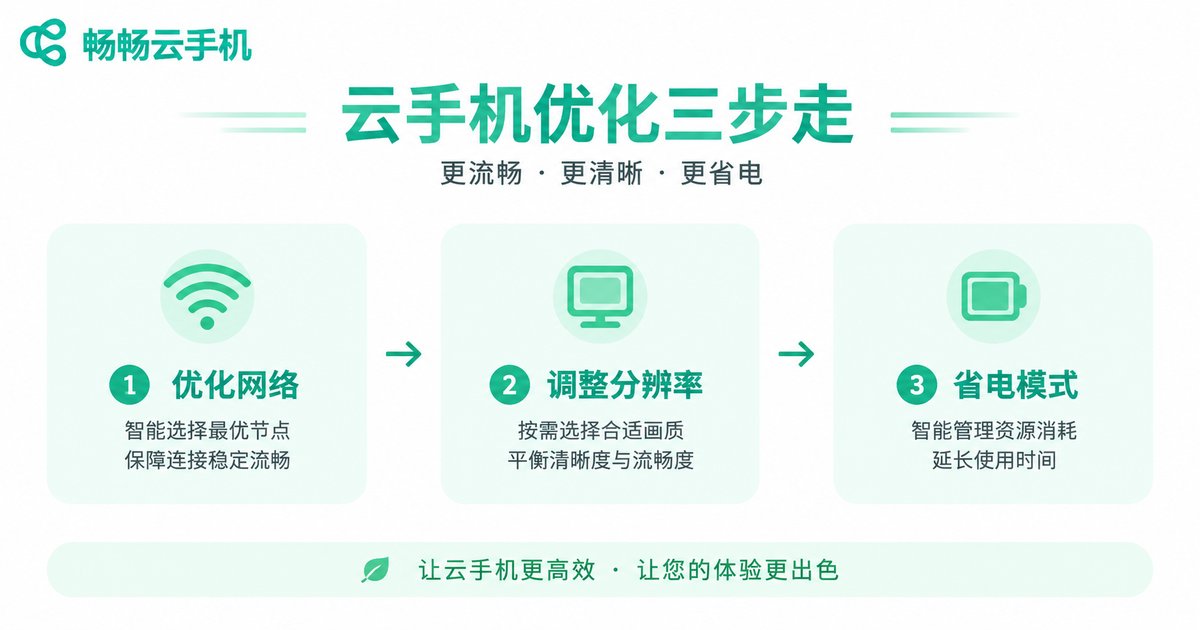
To achieve the most stable AFK effect, simply opening the game is not enough. Here is the complete setup process for stable AFK gaming using ccloudphone:
Step 1: Choose the Right Cloud Phone Configuration
Select a configuration in ccloudphone that suits your game's needs. For large 3D games, a high-performance plan is recommended to ensure smooth graphics; for 2D or idle games, a standard configuration is sufficient for long-term stable AFK gaming.
Step 2: Network and Graphics Optimization
Enter the settings center of the cloud phone and adjust the resolution and frame rate to "Smooth" or "Power Saving" mode. Lowering the graphics quality can reduce data transmission, thereby significantly reducing network latency and improving AFK stability.
| Comparison | Local Phone AFK | ccloudphone AFK |
|---|---|---|
| Device Heating | Severe, affects hardware lifespan | None, runs on cloud servers |
| Network Stability | Highly affected by local network fluctuations | Professional data center network, extremely stable |
| 24-Hour Running | Requires screen always on, drains battery fast | Supports offline dark screen AFK, no local battery drain |
How to Configure 24-Hour Offline Auto-Run?
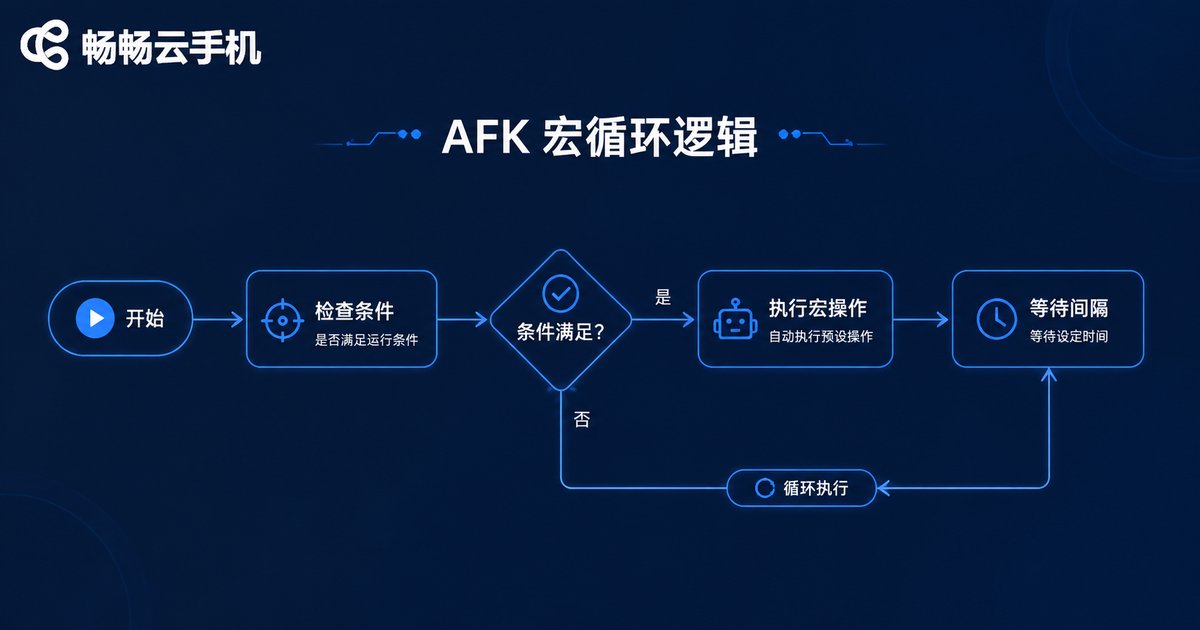
To achieve fully automated AFK gaming without manual intervention, it needs to be combined with the cloud phone's automation tools or macro functions. ccloudphone supports custom script running. You can set up a simple AFK loop according to the following logic:
// Simple AFK macro logic example
while (true) {
    if (checkEnergy() > 10) {
        enterDungeon();
        autoBattle();
        collectRewards();
    } else {
        sleep(3600000); // Sleep for 1 hour when energy is insufficient
    }
}
Step 3: Anti-Ban and Anti-Detection Settings
AFK gaming for long hours can easily trigger the game's risk control system. It is recommended to set random click intervals in ccloudphone to avoid mechanical operations at a fixed frequency. Meanwhile, keep the cloud phone's system time accurate and do not use any cheating tools that modify local time.
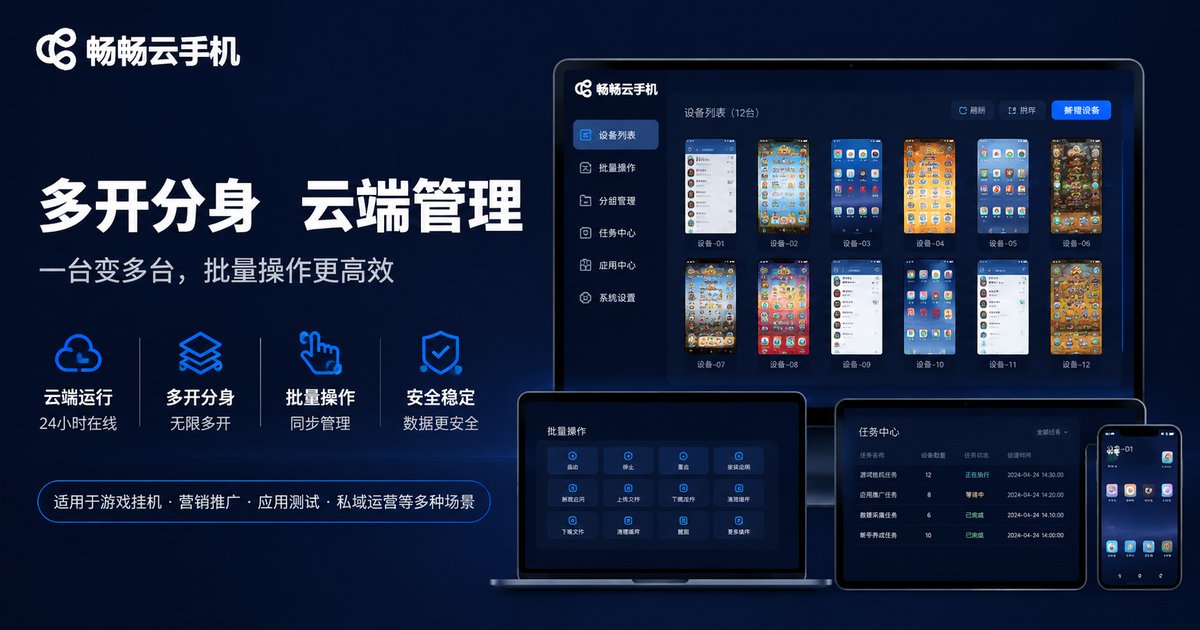
Step 4: Utilize ccloudphone's Group Control Feature
If you have multiple accounts that need AFK gaming simultaneously, ccloudphone provides an efficient group control feature. You can synchronize operations across multiple cloud phones with one click, greatly improving resource farming efficiency while maintaining independent IPs and stable operation for each device.
Frequently Asked Questions
Q: Does my local phone need to stay on while the cloud phone is AFK gaming?
No. The cloud phone runs completely independently of the local device. As long as you set up the AFK task and start it in ccloudphone, even if you turn off your local phone, the cloud game will still run stably 24/7.
Q: Will I get banned by the game for AFK gaming on ccloudphone?
ccloudphone provides a real Android device environment. As long as you do not use illegal cheating scripts and reasonably set random operation intervals, normal AFK gaming is very safe.
Q: If the network disconnects, will the game in the cloud phone go offline?
A local network disconnection only affects the streaming of your view of the cloud phone and does not affect the operation of the cloud server. When you reconnect to the network, you will still see the game running normally.


